

Photos in the Icon Contest Bases album of GoldToken Support GoldToken Support has a total of 73 photo album. You can view a list of the albums. The album is sorted by Date, click to sort by name. You are viewing the detailed list, click to switch to the brief one. This album contains 99 photos. Running Dog or Wolf
 To edit, save this PNG image to your computer and color each image, making the background a solid color or transparent using your photo editing program or Microsoft Paint. Cut/crop the images up using your photo editing software (each one should be exactly 50x50 pixels or the animation might not work correctly), and combine in order with your photo editing software, or iaza.com to animate. 30 Oct 2011 at 12:54AM Teddy Bear Base
 To edit, save this GIF image to your computer and color the image, making the background a solid color or transparent using your photo editing program or Microsoft Paint. 30 Oct 2011 at 12:46AM Pony Icon Base
 To edit, save this GIF image to your computer and color the pony in the image, making the background a solid color or transparent using your photo editing program or Microsoft Paint. 30 Oct 2011 at 12:02AM Pony Base
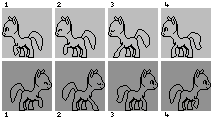 To edit, save this PNG image to your computer and color each image, making the background a solid color or transparent using your photo editing program or Microsoft Paint. Cut/crop the images up using your photo editing software (each one should be exactly 50x50 pixels or the animation might not work correctly), and combine in order with your photo editing software, or iaza.com to animate. 30 Oct 2011 at 1:08AM Animated Cat Base
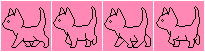 To edit, save this PNG image to your computer and color each image, making the background a solid color or transparent using your photo editing program or Microsoft Paint. Cut/crop the images up using your photo editing software (each one should be exactly 50x50 pixels or the animation might not work correctly), and combine in order with your photo editing software, or iaza.com to animate. 30 Oct 2011 at 1:06AM Flying Animal Base
 To edit, save this PNG image to your computer and color each animal to suit (you can easily change this creature to a cat, dog, dragon, rat, bird etc) in the image, making the background a solid color or transparent using your photo editing program or Microsoft Paint. Cut/crop the images up using your photo editing software (each one should be exactly 50x50 pixels or the animation might not work correctly), and combine at iaza.com to animate. 30 Oct 2011 at 12:45AM Animated Guppy Base
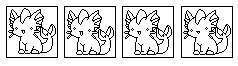 To edit, save this PNG image to your computer and color each image, making the background a solid color or transparent using your photo editing program or Microsoft Paint. Cut/crop the images up using your photo editing software (each one should be exactly 50x50 pixels or the animation might not work correctly), and combine in order with your photo editing software, or iaza.com to animate. 30 Oct 2011 at 1:06AM Pony Base
 To edit, save this GIF image to your computer and color the pony, making the background a solid color or transparent using your photo editing program or Miscrosoft Paint. 27 Oct 2011 at 8:03PM Cat Icon Base
 To edit, save this GIF image to your computer and color the cat, making the background a solid color or transparent using your photo editing program or Miscrosoft Paint. 27 Oct 2011 at 8:04PM Wolf/Dog Base
 To edit, save this GIF image to your computer and color the dog, making the background a solid color or transparent using your photo editing program or Miscrosoft Paint. 27 Oct 2011 at 8:05PM Cat Base
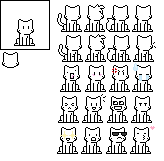 To edit, save this PNG image to your computer and color the cat in the image, making the background a solid color or transparent using your photo editing program or Miscrosoft Paint. Be sure to crop the cat at 50x50 pixels and save as a GIF. You can use just one cat, or cut/crop the images up using your photo editing software (each one should be exactly 50x50 pixels or the animation might not work correctly), and combine at iaza.com to animate. 27 Oct 2011 at 8:07PM Sleeping Puppy Base
 To edit, save this GIF image to your computer and color the puppy, making the background a solid color or transparent using your photo editing program or Miscrosoft Paint. Personalize by adding a tail, hat or your name! 27 Oct 2011 at 8:09PM Wolf/Dog Bases
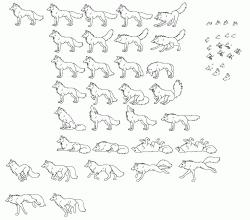 For those with a little more experience:To edit, save this PNG image to your computer and crop one or more of your favorite dog/wolf out of the image, and resize to 50x50 pixels. Use one or more of the faces/ear sets on the side for your favorite expression. Color the image, making the background a solid color or transparent using your photo editing program or Miscrosoft Paint. Combine the images if you are using more than one at iaza.com to animate.27 Oct 2011 at 8:15PM Jumping Dog/Wolf/Kangaroo
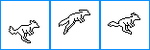 To edit, save this PNG image to your computer and color each image, making the background a solid color or transparent using your photo editing program or Microsoft Paint. Cut/crop the images up using your photo editing software (each one should be exactly 50x50 pixels or the animation might not work correctly), and combine in order with your photo editing software, or iaza.com to animate. 30 Oct 2011 at 12:58AM Cat/Dog Base
 To edit, save this GIF image to your computer and color the animal, making the background a solid color or transparent using your photo editing program or Miscrosoft Paint. 27 Oct 2011 at 8:21PM Cuddly Cat Base
 To edit, save this GIF image to your computer and color each dog in the image, making the background a solid color or transparent using your photo editing program or Miscrosoft Paint. 27 Oct 2011 at 8:22PM Lick Base
 To edit, save this PNG image to your computer and color each image, making the background a solid color or transparent using your photo editing program or Microsoft Paint. Cut/crop the images up using your photo editing software (each one should be exactly 50x50 pixels or the animation might not work correctly), and combine in order with your photo editing software, or iaza.com to animate. 30 Oct 2011 at 12:57AM Cat Base
 To edit, save this PNG image to your computer and color each image, making the background a solid color or transparent using your photo editing program or Microsoft Paint. Cut/crop the images up using your photo editing software (each one should be exactly 50x50 pixels or the animation might not work correctly), and combine in order with your photo editing software, or iaza.com to animate. 30 Oct 2011 at 12:57AM Playful Dog Base
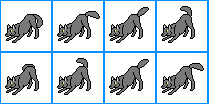 To edit, save this PNG image to your computer and color each image, making the background a solid color or transparent using your photo editing program or Microsoft Paint. Cut/crop the images up using your photo editing software (each one should be exactly 50x50 pixels or the animation might not work correctly), and combine in order with your photo editing software, or iaza.com to animate. 30 Oct 2011 at 12:57AM Jumping Cat Base
 To edit, save this PNG image to your computer and color each image, making the background a solid color or transparent using your photo editing program or Microsoft Paint. Cut/crop the images up using your photo editing software (each one should be exactly 50x50 pixels or the animation might not work correctly), and combine in order with your photo editing software, or iaza.com to animate. 30 Oct 2011 at 12:57AM Wolf/Dog/Cat Saber Icons
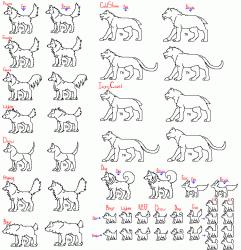 For those with a little more experience:To edit, save this PNG image to your computer and crop one or more of your favorite dog/wolf out of the image, and resize to 50x50 pixels. Color the image, making the background a solid color or transparent using your photo editing program or Miscrosoft Paint. Combine the images if you are using more than one at iaza.com to animate.27 Oct 2011 at 8:35PM Cat Base
 To edit, save this GIF image to your computer and color the cat, making the background a solid color or transparent using your photo editing program or Miscrosoft Paint. 27 Oct 2011 at 9:00PM Dancing Critter Base
 To edit, save this PNG image to your computer and color each image, making the background a solid color or transparent using your photo editing program or Microsoft Paint. Cut/crop the images up using your photo editing software (each one should be exactly 50x50 pixels or the animation might not work correctly), and combine in order with your photo editing software, or iaza.com to animate. 30 Oct 2011 at 12:57AM Wolf/Dog Base
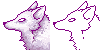 To edit, save this GIF image to your computer and color your wolf/dog, making the background a solid color or transparent using your photo editing program or Miscrosoft Paint. Cut/crop the image up using your photo editing software to 50x50 pixels and save as GIF. 27 Oct 2011 at 9:15PM Snuggly Critter
 To edit, save this GIF image to your computer and color to suit, making the background a solid color or transparent using your photo editing program or Miscrosoft Paint. 27 Oct 2011 at 9:10PM Angry Wolf Base
 To edit, save this PNG image to your computer and color to suit, making the background a solid color or transparent using your photo editing program or Miscrosoft Paint. 27 Oct 2011 at 9:13PM Easy Cute Cat Base
 To edit, save this JPG image to your computer and color to suit, making the background a solid color using your photo editing program or Miscrosoft Paint. 27 Oct 2011 at 9:14PM Musical Girl Base
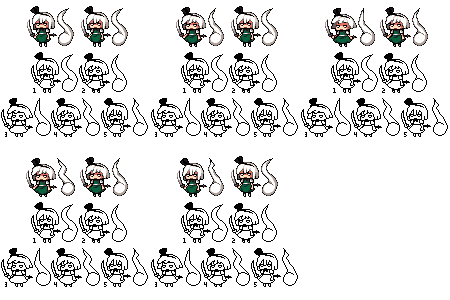 To edit, save this PNG image to your computer and color each image, making the background a solid color or transparent using your photo editing program or Microsoft Paint. Cut/crop the images up using your photo editing software (each one should be exactly 50x50 pixels or the animation might not work correctly), and combine in order with your photo editing software, or iaza.com to animate. 30 Oct 2011 at 12:57AM Clapping Pony Base
 To edit, save this PNG image to your computer and color each image, making the background a solid color or transparent using your photo editing program or Microsoft Paint. Cut/crop the images up using your photo editing software (each one should be exactly 50x50 pixels or the animation might not work correctly), and combine in order with your photo editing software, or iaza.com to animate. 30 Oct 2011 at 1:06AM Easy Pup Base
 To edit, save this image to your computer and color, making the background a solid color or transparent using your photo editing program or Miscrosoft Paint. 27 Oct 2011 at 9:57PM Sleeping Pony/Deer/Unicorn/Pegasus Base
 To edit, save this PNG image to your computer and color each image, making the background a solid color or transparent using your photo editing program or Microsoft Paint. Cut/crop the images up using your photo editing software (each one should be exactly 50x50 pixels or the animation might not work correctly), and combine in order with your photo editing software, or iaza.com to animate. 30 Oct 2011 at 1:06AM Easy Dog Base
 To edit, save this GIF image to your computer and color, keeping the background transparent using your photo editing program or Miscrosoft Paint. Save as a GIF. 27 Oct 2011 at 10:01PM Pegusus, Pony Icon Bases
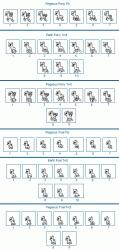 To edit, save this PNG image to your computer and color each image, making the background a solid color or transparent using your photo editing program or Microsoft Paint. Cut/crop the images up using your photo editing software (each one should be exactly 50x50 pixels or the animation might not work correctly), and combine in order with your photo editing software, or iaza.com to animate. 30 Oct 2011 at 1:05AM Cat Ghost Base
 To edit, save this PNG image to your computer and color each image, making the background a solid color or transparent using your photo editing program or Microsoft Paint. Cut/crop the images up using your photo editing software (each one should be exactly 50x50 pixels or the animation might not work correctly), and combine in order with your photo editing software, or iaza.com to animate. 30 Oct 2011 at 1:05AM Easy Dog in a Box Base
 To edit, save this PNG image to your computer and color to suit, making the background a solid color or transparent using your photo editing program or Miscrosoft Paint. 27 Oct 2011 at 10:12PM Blinking Base
 To edit, save this PNG image to your computer and color each image, making the background a solid color or transparent using your photo editing program or Microsoft Paint. Cut/crop the images up using your photo editing software (each one should be exactly 50x50 pixels or the animation might not work correctly), and combine in order with your photo editing software, or iaza.com to animate. 30 Oct 2011 at 1:05AM Easy Cat Heart
 To edit, save this JPG image to your computer and color the cat, making the background a solid color using your photo editing program or Miscrosoft Paint. 27 Oct 2011 at 10:21PM Jiggle Dog Base
 To edit, save this PNG image to your computer and color each image, making the background a solid color or transparent using your photo editing program or Microsoft Paint. Cut/crop the images up using your photo editing software (each one should be exactly 50x50 pixels or the animation might not work correctly), and combine in order with your photo editing software, or iaza.com to animate. 30 Oct 2011 at 1:05AM Easy Wolf/Dog Base
 To edit, save this GIF image to your computer and color to suit, keeping the background transparent using your photo editing program or Miscrosoft Paint. Save as GIF.  27 Oct 2011 at 10:37PM Easy Plush Base
 To edit, save this GIF image to your computer and color to suit, keeping the background transparent using your photo editing program or Miscrosoft Paint. Save as GIF. 27 Oct 2011 at 10:31PM Easy Cat Base
 To edit, save this GIF image to your computer and color to suit, keeping the background transparent using your photo editing program or Miscrosoft Paint. Save as GIF. 27 Oct 2011 at 10:33PM Easy Wolf/Dog Base
 To edit, save this GIF image to your computer and color to suit, keeping the background transparent using your photo editing program or Miscrosoft Paint. Save as GIF. 27 Oct 2011 at 10:33PM Easy Cat Base
 To edit, save this JPG image to your computer and color to suit, making the background a solid color using your photo editing program or Miscrosoft Paint. 27 Oct 2011 at 10:34PM Dancing Fox Base
 To edit, save this PNG image to your computer and color each image, making the background a solid color or transparent using your photo editing program or Microsoft Paint. Cut/crop the images up using your photo editing software (each one should be exactly 50x50 pixels or the animation might not work correctly), and combine in order with your photo editing software, or iaza.com to animate. 30 Oct 2011 at 1:04AM Easy Dog/Wolf Face Base
 To edit, save this GIF image to your computer and colorto suit, making the background a solid color or transparent using your photo editing program or Miscrosoft Paint. Save as GIF. 27 Oct 2011 at 10:39PM Mini Cat Base
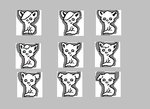 To edit, save this PNG image to your computer and color each image, making the background a solid color or transparent using your photo editing program or Microsoft Paint. Cut/crop the images up using your photo editing software (each one should be exactly 50x50 pixels or the animation might not work correctly), and combine in order with your photo editing software, or iaza.com to animate. 30 Oct 2011 at 1:04AM Easy Angel Base
 To edit, save this GIF image to your computer and color to suit, keeping the background transparent using your photo editing program or Miscrosoft Paint. Save as GIF. 27 Oct 2011 at 10:51PM Cat Base for Experienced Animators
 To edit, save this PNG image to your computer and color each image, making the background a solid color or transparent using your photo editing program or Microsoft Paint. Cut/crop the images up using your photo editing software (each one should be exactly 50x50 pixels or the animation might not work correctly), and combine in order with your photo editing software, or iaza.com to animate. 30 Oct 2011 at 1:00AM Furby Lick Base
 To edit, save this PNG image to your computer and color each image, making the background a solid color or transparent using your photo editing program or Microsoft Paint. Cut/crop the images up using your photo editing software (each one should be exactly 50x50 pixels or the animation might not work correctly), and combine in order with your photo editing software, or iaza.com to animate. 30 Oct 2011 at 1:04AM Easy Angel Base
 To edit, save this GIF image to your computer and color to suit, keeping the background transparent using your photo editing program or Miscrosoft Paint. Save as GIF. 27 Oct 2011 at 11:01PM Semi Easy Cat Base
 To edit, save this GIF image to your computer and color to suit, keeping the background transparent using your photo editing program or Miscrosoft Paint. Save as GIF. 27 Oct 2011 at 11:02PM Easy Dog/Wolf Base
 To edit, save this GIF image to your computer and color to suit, keeping the background transparent using your photo editing program or Miscrosoft Paint. Save as GIF. 27 Oct 2011 at 11:06PM Easy Dog Face Base
 To edit, save this PNG image to your computer and color to suit, keeping the background transparent using your photo editing program or Miscrosoft Paint. Save as GIF. 27 Oct 2011 at 11:05PM Semi Difficult Cat Base
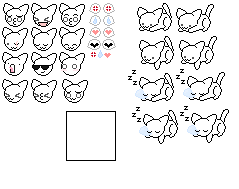 To edit, save this PNG image to your computer and color each of four matching cat bodies in the image (there are two sets that animate when put together), making the background a solid color or transparent using your photo editing program or Miscrosoft Paint. There are several face options to choose from including several sets iof eyes. Place each finished cat body and face inside the presized frame. Save the images up using your photo editing software (each one should be exactly 50x50 pixels or the animation might not work correctly), and combine at iaza.com to animate. 27 Oct 2011 at 11:44PM Easy Body Bases
 To edit, save this GIF image to your computer and color one of the images to suit, keeping the background transparent using your photo editing program or Miscrosoft Paint. Cut/crop the image you colored using your photo editing software to exactly 50x50 pixels and save as a GIF. 27 Oct 2011 at 11:43PM Easy Face Base
 To edit, save this GIF image to your computer and add hair and color to suit, keeping the background transparent using your photo editing program or Miscrosoft Paint. Save as GIF. 27 Oct 2011 at 11:45PM Easy Plush Bunny Base
 To edit, save this GIF image to your computer and color to suit, keeping the background transparent using your photo editing program or Miscrosoft Paint. Save as GIF. 27 Oct 2011 at 11:46PM Semi Difficult Bottle Base
 To edit, save this GIF image to your computer and add another image inside, keeping the background and inside of the bottle transparent using your photo editing program or Miscrosoft Paint. Save as GIF. 27 Oct 2011 at 11:48PM Easy Dragon Base
 To edit, save this JPG image to your computer and color in the image, making the background a solid color or transparent using your photo editing program or Miscrosoft Paint. 27 Oct 2011 at 11:50PM Easy Person Base
 To edit, save this JPG image to your computer and color in the image, making the background a solid color or transparent using your photo editing program or Miscrosoft Paint. 27 Oct 2011 at 11:50PM Wolf/Dog Base
 To edit, save this GIF image to your computer and color each fox in the image, making the background a solid color or transparent using your photo editing program or Miscrosoft Paint. Cut/crop the image you colored using your photo editing software (it should be exactly 50x50 pixels). Save as GIF if you wish to keep the background transparent. 27 Oct 2011 at 11:54PM Wave Base
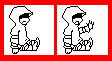 To edit, save this PNG image to your computer and color each image, making the background a solid color or transparent using your photo editing program or Microsoft Paint. Cut/crop the images up using your photo editing software (each one should be exactly 50x50 pixels or the animation might not work correctly), and combine in order with your photo editing software, or iaza.com to animate. Don't forget to personalize your image. You can change the clothing, add hair or your name to make this one of a kind! 30 Oct 2011 at 1:03AM Semi Difficult Bottle Base
 To edit, save this GIF image to your computer and add another image inside, keeping the background transparent using your photo editing program or Miscrosoft Paint. Save as GIF. 27 Oct 2011 at 11:57PM Easy Baby Base
 To edit, save this GIF image to your computer and color in clothes and hair, keeping the background transparent using your photo editing program or Miscrosoft Paint. Save as GIF. 27 Oct 2011 at 11:55PM Jumping Base
 To edit, save this PNG image to your computer and color each image, making the background a solid color or transparent using your photo editing program or Microsoft Paint. Cut/crop the images up using your photo editing software (each one should be exactly 50x50 pixels or the animation might not work correctly), and combine in order with your photo editing software, or iaza.com to animate. 30 Oct 2011 at 1:03AM Blink Base
 To edit, save this PNG image to your computer and color each image, making the background a solid color or transparent using your photo editing program or Microsoft Paint. Cut/crop the images up using your photo editing software (each one should be exactly 50x50 pixels or the animation might not work correctly), and combine in order with your photo editing software, or iaza.com to animate. 30 Oct 2011 at 1:03AM Cat Base
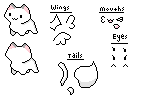 To edit, save this PNG image to your computer. Crop to 50x50 pixels and color the cat in the image, making the background a solid color or transparent using your photo editing program or Miscrosoft Paint. Add wings tail etc. and save. 28 Oct 2011 at 12:01AM Blowing Kisses Base
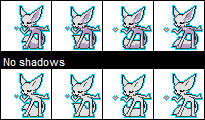 To edit, save this PNG image to your computer and color each image, making the background a solid color or transparent using your photo editing program or Microsoft Paint. Cut/crop the images up using your photo editing software (each one should be exactly 50x50 pixels or the animation might not work correctly), and combine in order with your photo editing software, or iaza.com to animate. 30 Oct 2011 at 1:02AM Jiggle Critter
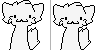 To edit, save this PNG image to your computer and color each image, making the background a solid color or transparent using your photo editing program or Microsoft Paint. Cut/crop the images up using your photo editing software (each one should be exactly 50x50 pixels or the animation might not work correctly), and combine in order with your photo editing software, or iaza.com to animate. 30 Oct 2011 at 1:01AM Semi Difficult Chibi Doll Base
 To edit, save this PNG image to your computer and color each image, making the background a solid color or transparent using your photo editing program or Microsoft Paint. Cut/crop the images up using your photo editing software (each one should be exactly 50x50 pixels or the animation might not work correctly), and combine in order with your photo editing software, or iaza.com to animate. 30 Oct 2011 at 1:02AM Pony/Deer Base
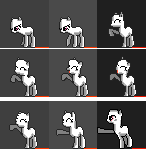 To edit, save this PNG image to your computer and color each image, making the background a solid color or transparent using your photo editing program or Microsoft Paint. Cut/crop the images up using your photo editing software (each one should be exactly 50x50 pixels or the animation might not work correctly), and combine in order with your photo editing software, or iaza.com to animate. 30 Oct 2011 at 1:01AM Easy Horse Base
 To edit, save this GIF image to your computer and color the horse, making the background a solid color or transparent using your photo editing program or Miscrosoft Paint. 28 Oct 2011 at 12:16AM Easy Cat/Dog Face Base
 To edit, save this GIF image to your computer and color the cat, making the background a solid color or transparent using your photo editing program or Miscrosoft Paint. 28 Oct 2011 at 12:16AM Easy Chibi Base
 To edit, save this GIF image to your computer and color in the image adding your name, clothing and hair, keeping the background transparent using your photo editing program or Miscrosoft Paint. Save as GIF. 28 Oct 2011 at 12:11AM Easy Wolf/Dog Base
 To edit, save this GIF image to your computer and color the dog, making the background a solid color or transparent using your photo editing program or Miscrosoft Paint. 28 Oct 2011 at 12:38AM Semi Difficult Running Animal Base
 To edit, save this PNG image to your computer and color each fox in the image, making the background a solid color or transparent using your photo editing program or Miscrosoft Paint. Cut/crop the images up using your photo editing software (each one should be exactly 50x50 pixels or the animation might not work correctly), and combine at iaza.com to animate. 28 Oct 2011 at 12:16AM Easy Bunny Base
 To edit, save this GIF image to your computer and color the bunny, making the background a solid color or transparent using your photo editing program or Miscrosoft Paint. 28 Oct 2011 at 12:51AM Easy Frog Face Base
 To edit, save this GIF image to your computer and color the frog, making the background a solid color or transparent using your photo editing program or Miscrosoft Paint. 28 Oct 2011 at 12:50AM Easy Cupcake Base
 To edit, save this GIF image to your computer and color the cupcake, making the background a solid color or transparent using your photo editing program or Miscrosoft Paint. 28 Oct 2011 at 12:51AM Easy Baby Base
 To edit, save this GIF image to your computer and color the baby, making the background a solid color or transparent using your photo editing program or Miscrosoft Paint. 28 Oct 2011 at 12:57AM Slugged Base
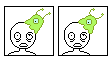 To edit, save this PNG image to your computer and color each image, making the background a solid color or transparent using your photo editing program or Microsoft Paint. Cut/crop the images up using your photo editing software (each one should be exactly 50x50 pixels or the animation might not work correctly), and combine in order with your photo editing software, or iaza.com to animate. 30 Oct 2011 at 12:55AM Easy Face Base
 To edit, save this GIF image to your computer and color, adding hair and clothing, making the background a solid color or transparent using your photo editing program or Miscrosoft Paint. 28 Oct 2011 at 12:45AM Easy Chick Base
 To edit, save this GIF image to your computer and color the chick, making the background a solid color or transparent using your photo editing program or Miscrosoft Paint. 28 Oct 2011 at 12:47AM Dog Hug Base
 To edit, save this PNG image to your computer and color each image, making the background a solid color or transparent using your photo editing program or Microsoft Paint. Cut/crop the images up using your photo editing software (each one should be exactly 50x50 pixels or the animation might not work correctly), and combine in order with your photo editing software, or iaza.com to animate. 30 Oct 2011 at 1:01AM Heart Balloon for Experienced Animators
 To edit, save this image to your computer and take apart with your photo program. Color each cat graphic in the image, making the background a solid color or transparent using your photo editing program or Miscrosoft Paint. Combine with your photo program or at iaza.com to animate. 29 Oct 2011 at 1:14AM Frame Bases
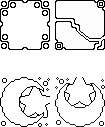 To edit, save this PNG image to your computer. Cut/crop the image for your chosen frame (exactly 50x50 pixels), and color, making the background a solid color or transparent using your photo editing program or Miscrosoft Paint. Draw or add another image in the middle if you wish and save as GIF. 29 Oct 2011 at 1:21AM Semi Difficult Bottle Base
 To edit, save this GIF image to your computer and add another image inside, keeping the background transparent using your photo editing program or Miscrosoft Paint. Save as GIF. 29 Oct 2011 at 1:03AM Easy Turtle Base
 To edit, save this GIF image to your computer and color the turtle, keeping the background transparent using your photo editing program or Miscrosoft Paint. 29 Oct 2011 at 1:11AM Semi Easy Ferret/Dragon/Weazel/Fox Base
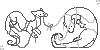 To edit, save this GIF image to your computer and color the creatures, keeping the background transparent using your photo editing program or Miscrosoft Paint 29 Oct 2011 at 1:09AM Easy Snarl Base
 To edit, save this GIF image to your computer and color the baby, making the background a solid color or transparent using your photo editing program or Miscrosoft Paint. 28 Oct 2011 at 12:58AM Easy Flower
 To edit, save this GIF image to your computer and color the flower, keeping the background transparent using your photo editing program or Miscrosoft Paint. 29 Oct 2011 at 1:12AM Easy Cow Base
 To edit, save this GIF image to your computer and color the image, keeping the background transparent using your photo editing program or Microsoft Paint. 30 Oct 2011 at 12:44AM The Easiest Dancing Icon Base
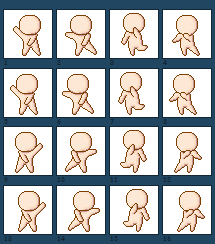 To edit, save this PNG image to your computer and color each image, making the background a solid color or transparent using your photo editing program or Microsoft Paint. Cut/crop the images up using your photo editing software (each one should be exactly 50x50 pixels or the animation might not work correctly), and combine in order with your photo editing software, or iaza.com to animate. 30 Oct 2011 at 1:01AM Wolf Couple Base for 2 Icons
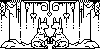 To edit, save this PNG image to your computer. Color the image using your photo editing program or Microsoft Paint. Cut/crop the image in half to make two icons, renaming them when you do so. Be sure they are both exactly 50x50 pixels, and save as GIF. 30 Oct 2011 at 12:41AM Two Matching Dog/Cat Bases for Experienced Animators
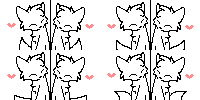 To edit, save this image to your computer and take apart with your photo program. Color each graphic in the image, making the background a solid color or transparent using your photo editing program or Miscrosoft Paint. Cut in half, making both sides exactly 50x50 pixels either before or after you recombine them and save as two separate GIF files. Combine with your photo program or at iaza.com to animate. 29 Oct 2011 at 2:06AM Running Wolf/Dog/Cat
 To edit, save this PNG image to your computer and color each image, making the background a solid color or transparent using your photo editing program or Microsoft Paint. Cut/crop the images up using your photo editing software (each one should be exactly 50x50 pixels or the animation might not work correctly), and combine in order with your photo editing software, or iaza.com to animate. 30 Oct 2011 at 1:13AM Derby Base
 To edit, save this PNG image to your computer and color each image, making the background a solid color or transparent using your photo editing program or Microsoft Paint. Cut/crop the images up using your photo editing software (each one should be exactly 50x50 pixels or the animation might not work correctly), and combine in order with your photo editing software, or iaza.com to animate. 30 Oct 2011 at 1:08AM Grinning Base
 To edit, save this PNG image to your computer and color each image, making the background a solid color or transparent using your photo editing program or Microsoft Paint. Cut/crop the images up using your photo editing software (each one should be exactly 50x50 pixels or the animation might not work correctly), and combine in order with your photo editing software, or iaza.com to animate. 30 Oct 2011 at 1:08AM |
©2000-2026 GoldToken.com LLC. All rights reserved. |
